How to Use Google Maps More Effectively With Features Most People Don’t Know About
Most people only use Google Maps to get from point A to point B. But after using it almost every day for years, I realized the app has a lot of small but incredibly useful features that most users completely overlook. From saving parking locations and downloading offline maps to checking Street View before visiting unfamiliar places, these are the Google Maps hacks that have quietly helped me save time, reduce stress, and make everyday travel much more convenient.
I used to think Google Maps was just an app where you type in an address and follow the route. But after using it more regularly over the years, especially while going to school, freelancing, working from coffee shops, or traveling, I realized Google Maps actually has a lot of underrated features that most people barely use.
Some of these features sound really small, but when you use them often, they save a surprising amount of time, reduce stress while moving around, and sometimes even save you from pretty annoying situations.
I’ve also realized that the older I get, the more dependent I become on Google Maps. Not just for directions, but also to remember where I’ve been, where I ate, where I parked, or sometimes just trying to remember:
“Wait… what was the name of that coffee shop again?”
1. One-handed zoom is way more useful than I expected
This is a very small trick, but after learning it, I started using it almost every day.
Normally, people either pinch to zoom or use two fingers to zoom in on the map. But you can actually just double tap, keep holding your finger down, then slide up and down to zoom with one hand.
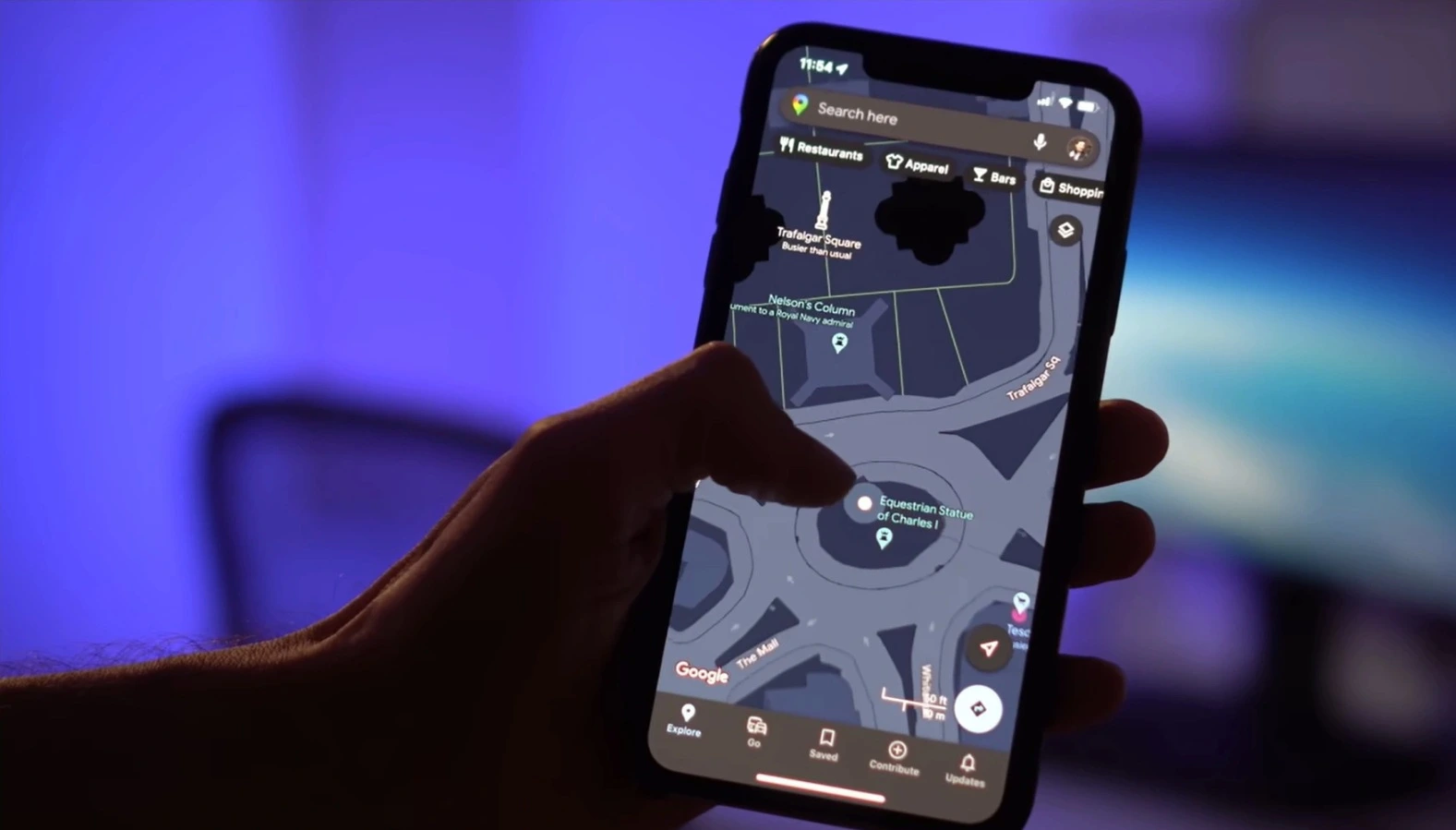
It sounds simple, but it’s surprisingly useful when you’re holding something, riding a bike, or only have one hand free. It’s one of those tiny “micro” features that quietly makes the experience feel much smoother.
Especially when I’m holding coffee, carrying a backpack, or standing outside under the sun trying to check directions quickly.
Once I got used to this gesture, I almost never went back to the old zoom method. It’s the kind of feature Google never really advertises, but once you start using it, it becomes hard to live without.
2. Offline maps have saved me a few expensive mistakes
One of the most useful things for me is offline maps. I used to think this feature was only for hiking or going somewhere extremely remote, but I ended up using it way more than I expected.
There was one time I went to an area pretty far from the city center, and the phone signal kept cutting in and out. Google Maps loaded painfully slowly, the route wouldn’t update properly, and I almost got lost.
That feeling of standing in the middle of the street while the map keeps loading is honestly pretty stressful.
After that experience, I started downloading offline maps before every trip, road trip, or visit to an unfamiliar area. It’s especially useful if you have limited mobile data, don’t want to use roaming while traveling abroad, or simply don’t want to rely entirely on the internet.
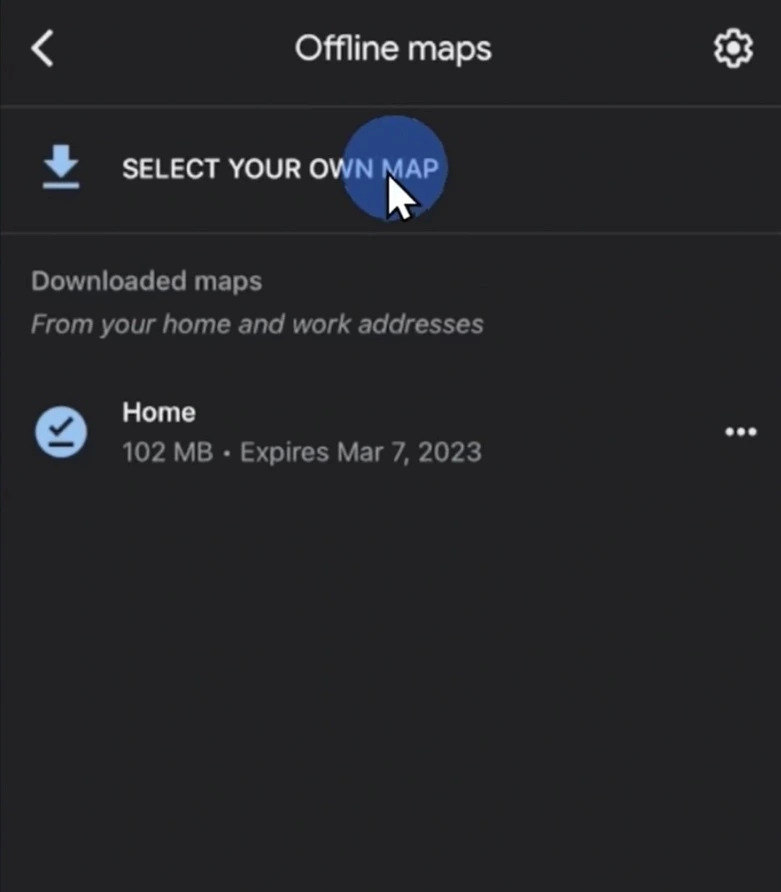
What I like is that offline maps work much better now than I expected. It’s no longer just a static map like before. In many cases, it can still navigate routes, estimate travel time, and work surprisingly well overall.
Ever since then, I’ve basically made it a habit to download maps before every trip because the storage size usually isn’t that big anyway.
3. Saving parking locations is way more useful than I thought
I used to think:
“How could anyone forget where they parked?”
Until I actually forgot.
Especially in underground parking lots, huge malls, concerts, or massive outdoor parking areas.
One time I parked at a mall during the weekend. I felt completely confident when I left the car, then later realized I had absolutely no idea which floor I parked on.
I ended up wandering around for almost 20 minutes like I was playing hide-and-seek with my own vehicle.
Now whenever I park somewhere unfamiliar, I usually open Google Maps and save the parking location. It sounds like such a tiny thing, but it genuinely saves a lot of time and frustration.
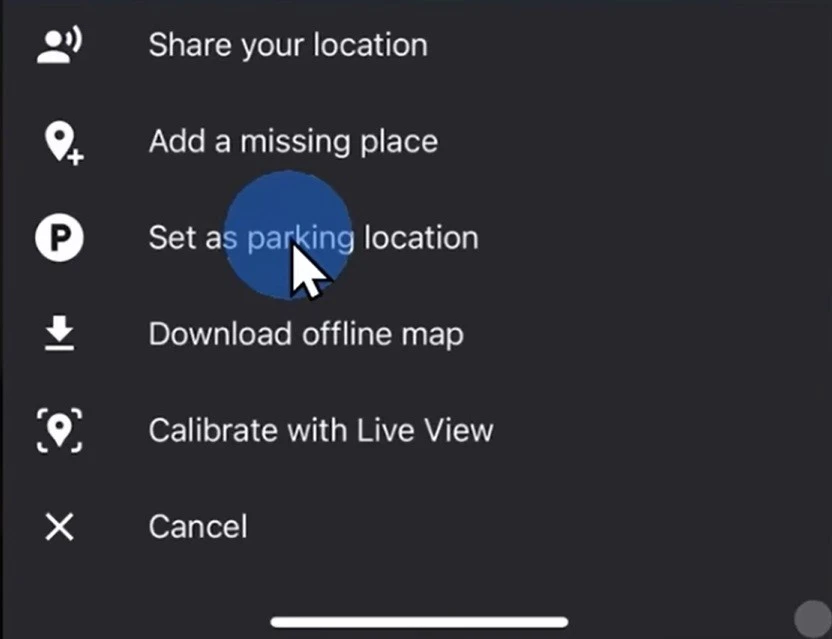
This is one of those features that doesn’t sound important until the moment you actually need it.
Especially when it’s raining, you’re tired, or carrying too much stuff already.
4. Saved places help me organize trips much better
The feature I probably use the most is saved places.
Whenever I’m planning to go somewhere, I usually spend around 15–20 minutes searching for coffee shops, restaurants, convenience stores, parking spots, or places I want to visit. Then I save everything ahead of time.
Once I arrive, I can just open the map and almost everything is already there waiting for me.
I really like being able to create separate lists for different trips like:
- “Da Nang trip”
- “Coffee spots”
- “Places to revisit”
It feels like I’m building a personal map for myself.
After using this for a few years, my map has become kind of funny. It’s basically filled with coffee shops, coworking spaces, laptop repair stores, and late-night food spots.
You can pretty much tell my entire lifestyle revolves around a laptop.
5. Custom labels make places easier to remember
I’m the kind of person who remembers locations, visuals, or the general feeling of a place much better than actual addresses.
For places like dentists, repair shops, favorite restaurants, or printing stores, I almost never remember the street number.
Custom labels solve this problem surprisingly well.
Now I just save labels like:
- “Dentist”
- “Printing shop”
- “Favorite coffee”
- or “Laptop repair”
and later I can just search those exact names and Google Maps immediately understands.
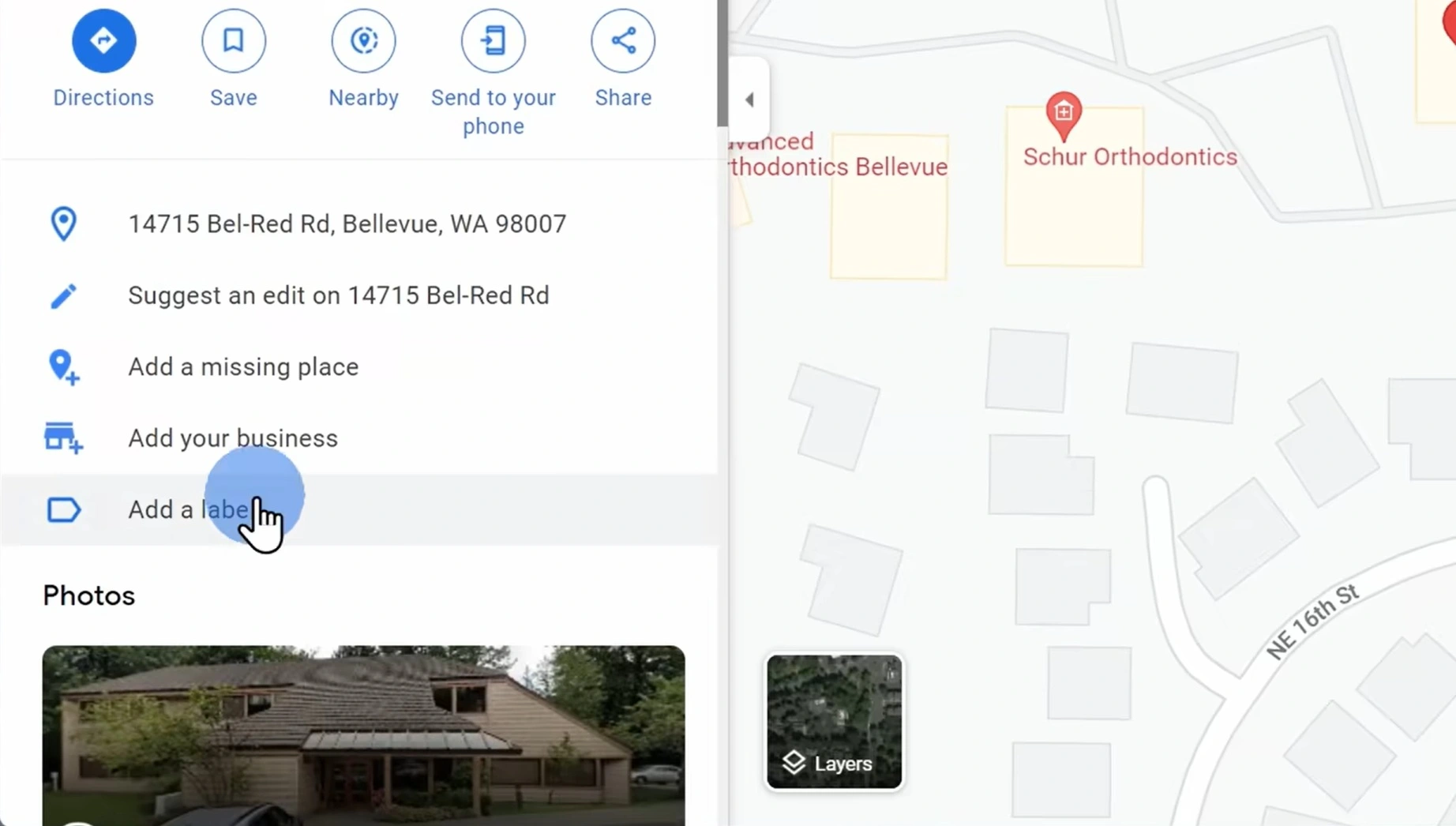
The funny thing is that after a while, I barely need to remember addresses anymore.
My brain is basically like:
“Google Maps already remembers it for me.”
Sounds slightly dangerous, but also very convenient.
I also use labels for random things like coffee shops with plenty of power outlets or places with easy parking.
Anyone who freelances probably understands how hard it is to find a quiet coffee shop with enough outlets sometimes.
6. Street View makes unfamiliar places less awkward
One thing I do pretty often before going somewhere new is opening Street View first.
It sounds a little weird, but it helps me see what the storefront looks like, check parking availability, understand how crowded the area is, or simply avoid that feeling of having no idea where I’m going.
This is especially useful when going to job interviews, visiting new coworking spaces, or meeting freelance clients at unfamiliar cafes.
Some addresses are surprisingly difficult to visualize if you only look at the normal 2D map.
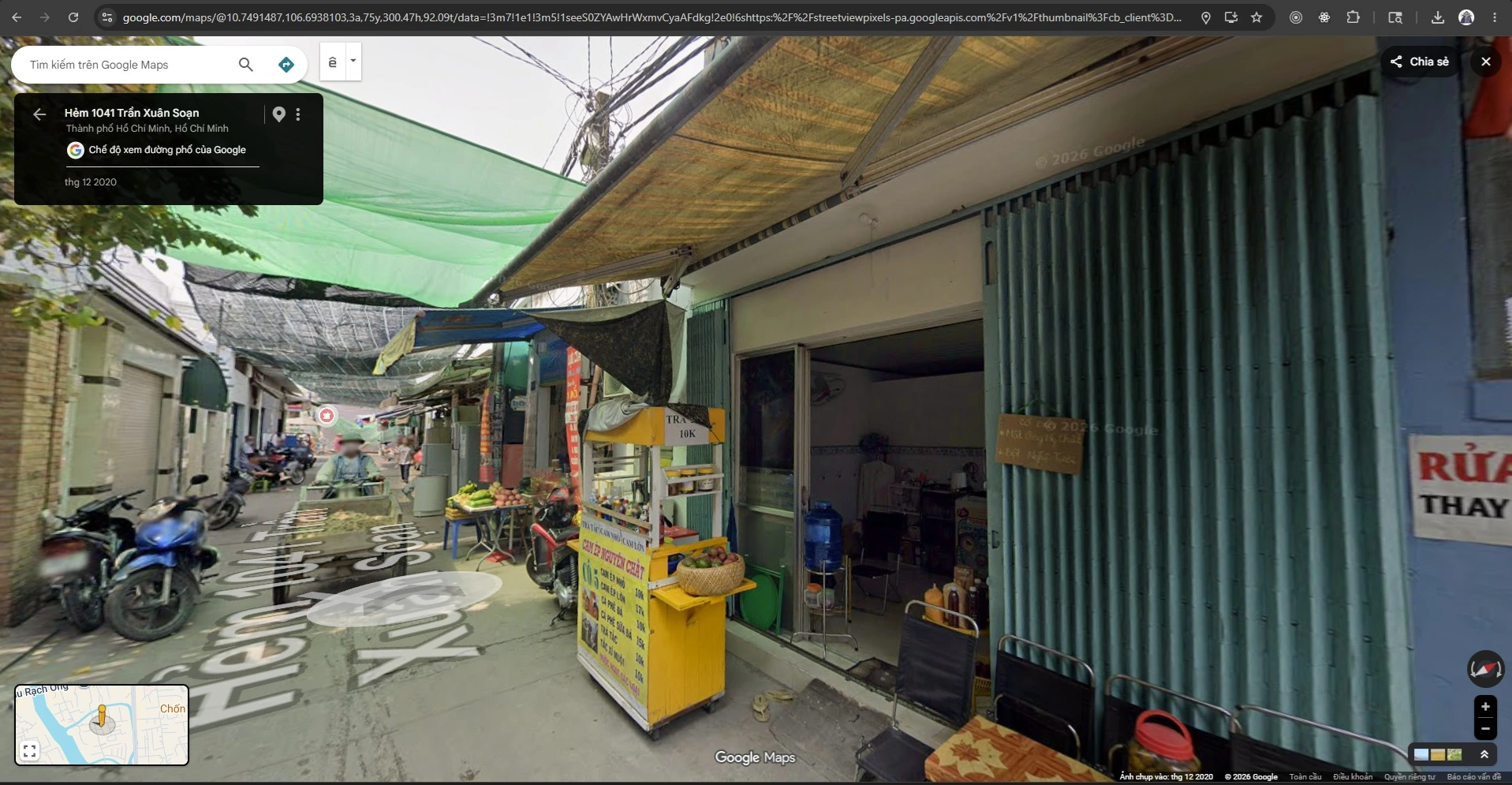
Street View helps me mentally prepare beforehand.
At the very least, I can recognize the correct building instead of walking back and forth outside like an NPC with broken AI.
7. Street View history is slightly creepy but also fascinating
Besides normal Street View, I also find Street View history really interesting.
A few times I’ve gone back several years in the timeline just to see how an area changed over time. Some places evolve incredibly fast, especially newer urban areas or city centers.
There are places that used to be empty lots or low-rise buildings, but just a few years later they’ve turned into entire blocks of modern buildings.
It’s a little creepy, but also fascinating to see how cities change over time.
Sometimes I end up revisiting old streets or neighborhoods I used to go to and suddenly realize:
“Wait… has it really been that many years already?”
8. Timeline feels like an automatic journal
Another feature I have mixed feelings about is Timeline.
On one hand, it’s slightly creepy realizing that:
Google basically knows where I’ve been.
But on the other hand, it’s also pretty interesting to revisit places I used to go.
Sometimes I forget a coffee shop I visited recently, a location from an old trip, or even the exact day I went somewhere. Timeline helps me find those things again surprisingly quickly.
If Google Photos is enabled, it sometimes even shows photos connected to locations too, which makes it feel almost like an automatic life journal.
Occasionally I open Timeline just to revisit good memories or periods where I traveled around a lot.
Although honestly, it is slightly unsettling knowing Google probably remembers my late-night food trips better than my own family does.
9. Public transit mode is much more powerful than I expected
I used to only use Google Maps for motorcycles, cars, or walking.
But after trying public transit mode, I realized it’s far more powerful than I thought.
Especially while traveling or visiting a new city, instead of manually searching train lines, schedules, or transfer stations, I can now just enter my destination and switch to public transit mode.
Google Maps will suggest routes, estimate travel time, show transfer points, and sometimes even display real-time updates.
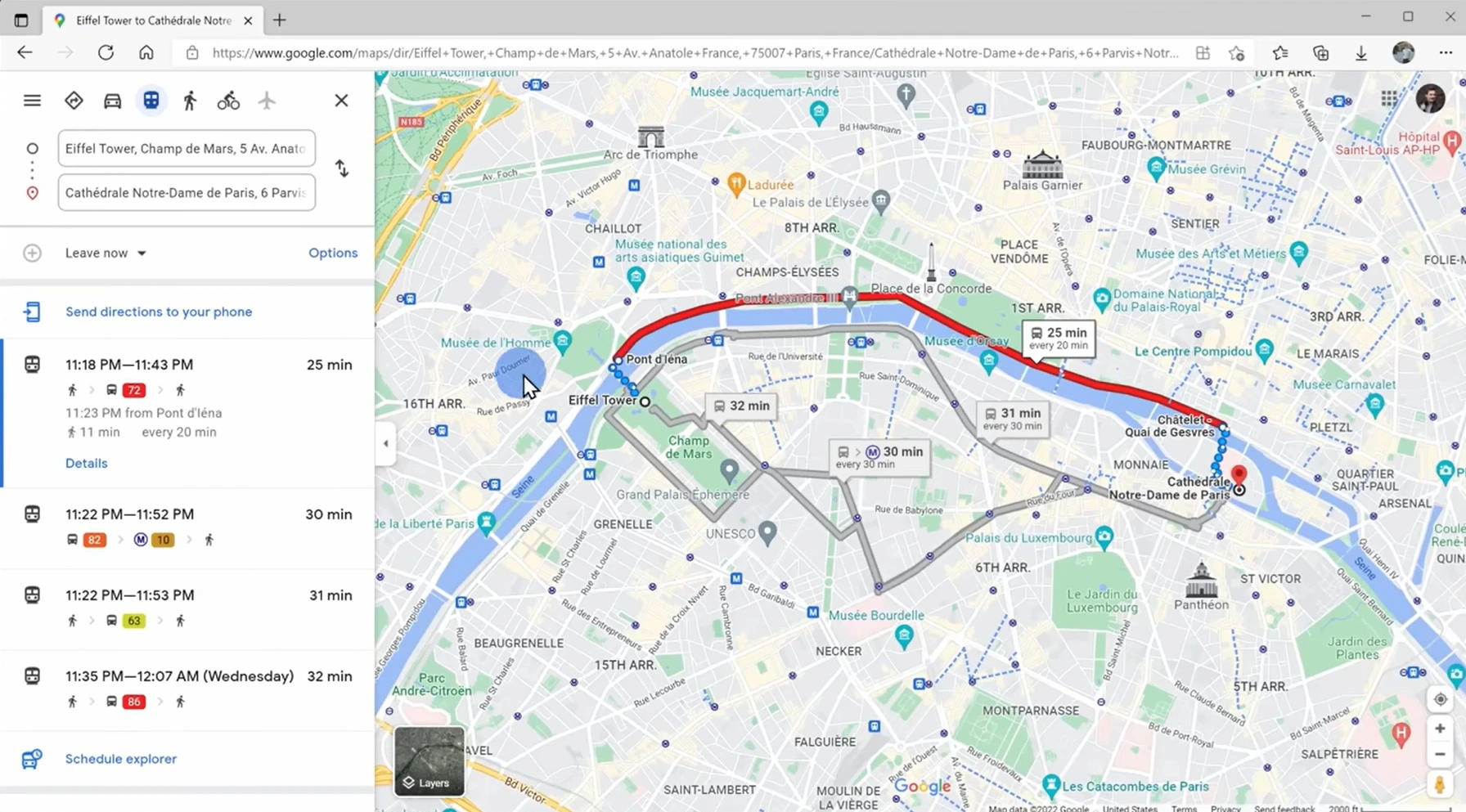
I remember the first time I used public transit in an unfamiliar city, I was honestly pretty nervous because I was afraid of taking the wrong line or missing my stop.
But Google Maps handled everything much better than I expected. It made me feel far more confident navigating new places instead of standing there trying to decode train maps like a logic puzzle.
10. Traffic prediction throughout the day is underrated
One underrated feature is that Google Maps can show traffic conditions depending on different times of the day.
For example, if I need to go to the airport, attend a meeting, or visit somewhere unfamiliar during rush hour, I usually check beforehand to see how bad traffic gets in that area and which routes are easier.
Sometimes leaving just 20–30 minutes earlier completely changes the experience.
There are roads that feel perfectly fine at 4 PM but become completely stuck by 5:30.
Over time I started checking traffic much more regularly, especially when timing actually matters.
It’s not a flashy feature, but it reduces stress a lot.
11. Multiple stops are incredibly convenient for busy days
Some days I need to stop by a coffee shop, buy something, deliver something, then head home afterward.
Before, I used to search each location separately, which was honestly pretty annoying.
Later I discovered that Google Maps lets you add multiple stops and reorder routes very easily.
This becomes especially useful during road trips or when planning a full day schedule.
Instead of reaching one place and repeatedly typing the next destination afterward, I can now organize the entire route in advance.
It makes everything feel much more organized, especially on days when my brain already feels overloaded.
12. Sharing real-time location gives me peace of mind
I don’t use this feature all the time, but whenever I need it, it becomes incredibly useful.
For example, when traveling late at night, going somewhere far away, or meeting friends in crowded places, I often share my real-time location so people know where I am.
It’s way more convenient than constantly answering:
“Where are you now?” “How much longer?” “Which street are you on?”

Besides convenience, it also creates a stronger sense of safety and reassurance, especially while traveling alone or navigating unfamiliar areas.
And honestly, it also dramatically reduces the number of “Are you there yet?” messages.
13. Indoor maps are more useful than I expected
I honestly had no idea Google Maps supported indoor maps for certain malls, airports, and large buildings.
One time I used it inside a huge mall and was surprised that it could display individual stores, floor layouts, and internal navigation.
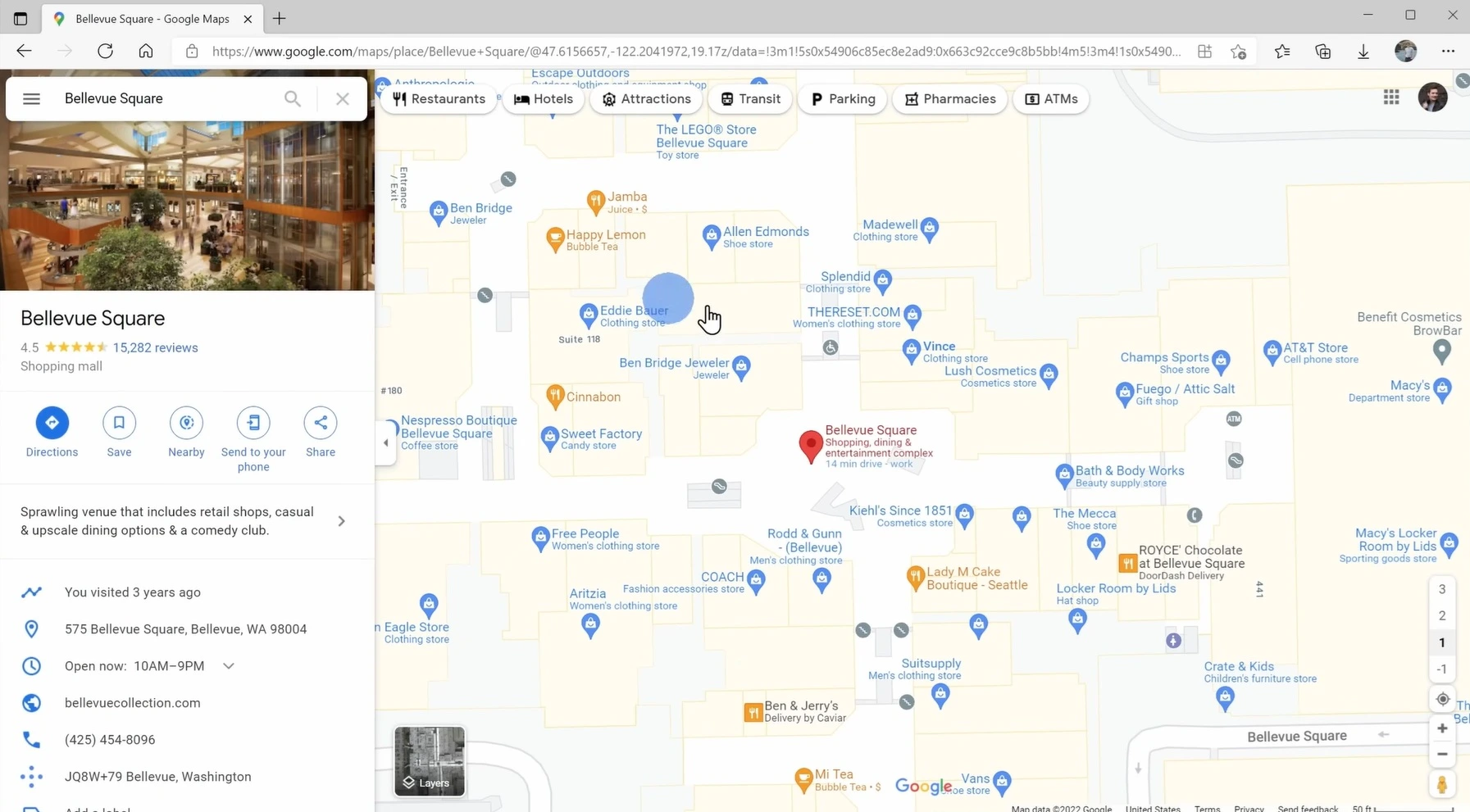
This isn’t the kind of feature you use every day, but when you need to find a specific store, restroom, or airport gate, it becomes extremely helpful.
I once nearly ran across an entire airport because I misread the gate number, which is when I started paying more attention to indoor maps.
It’s not perfect, but it definitely helps me navigate large places faster without wandering around aimlessly.
After using Google Maps for many years, I feel like it’s no longer just a navigation app.
It feels more like a travel planner, location memory, navigation tool, and sometimes even a small personal journal.
Some features I use every day.
Some I only use once every few months.
But what I like most is that when I truly need them, they usually become incredibly useful.
Interestingly, most of the features I rely on the most are not the flashy ones.
They’re usually simple things like saved locations, custom labels, offline maps, or Street View.
Small features that quietly become part of your everyday routine over time.
And honestly, there are moments where I feel like Google Maps understands where I usually go better than I do.
Slightly creepy.
But also pretty impressive.